Product pageDesktopFriction
Put a size finder control right at the size grid
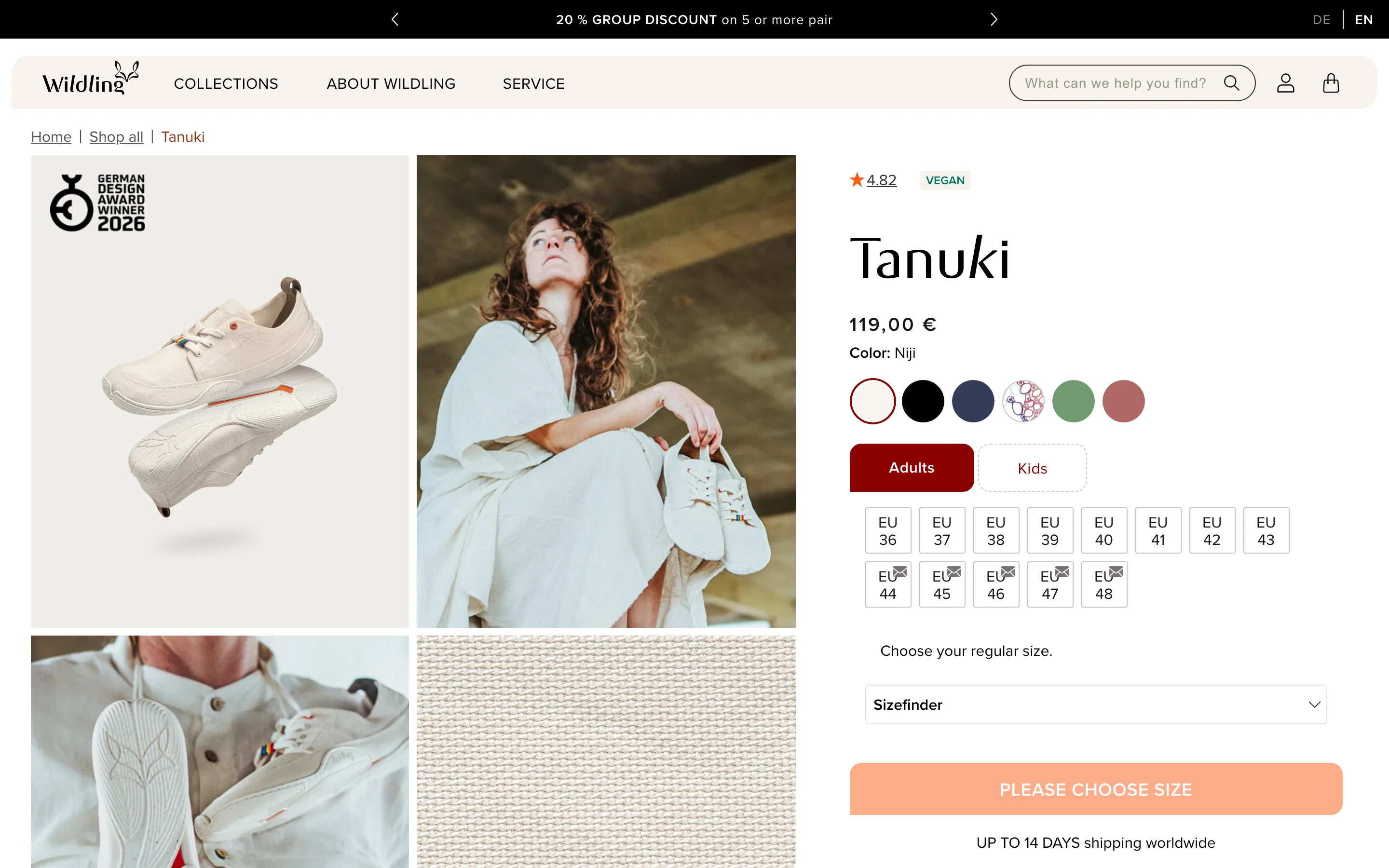
A Sizefinder control sits directly under the EU size grid, so the shopper can measure or answer a question instead of guessing between two sizes.
What it is
Under the grid of EU sizes the page says "Choose your regular size" and offers a Sizefinder control in the same column, before the add-to-cart button. The help is part of the selector, not a link to a separate chart page.
Why it works
The shopper who is between two sizes is the one most likely to abandon or to order both and return one. Putting the tool at the exact point of doubt resolves the question while intent is highest, instead of sending them away to a chart they have to read and come back from.
How to test it
- Hypothesis
- Placing a size finder control directly at the size grid will lift add-to-cart rate and reduce size-exchange returns versus a size chart link elsewhere on the page.
- Primary metric
- Add-to-cart rate (product page sessions)
- Guardrail metric
- Size-related return rate
Related ideas
Want this tested on your store?
We run the experiment, call the result honestly, and get paid on what it adds.
See the performance program